
How Deployments Work
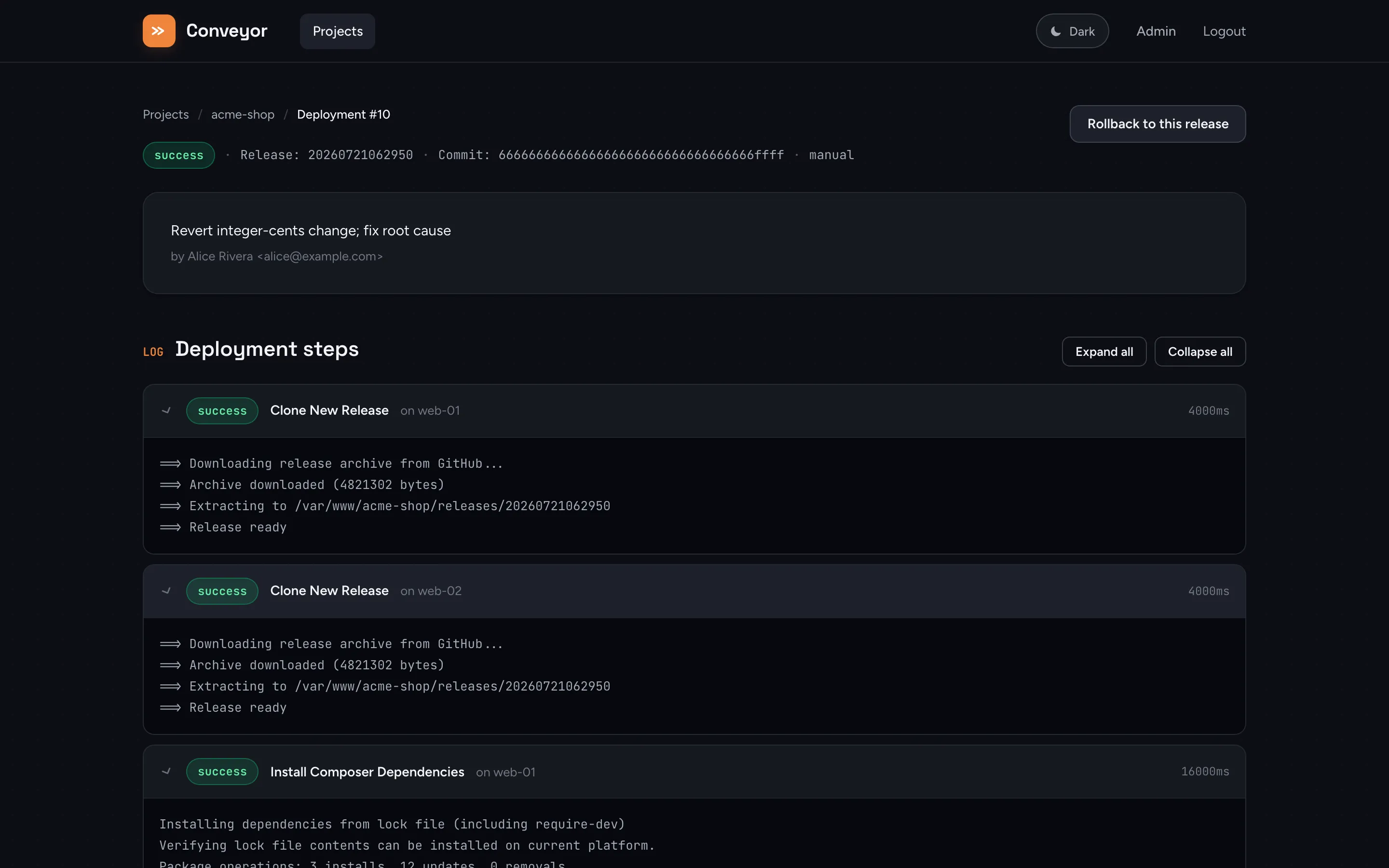
The deployment flow
Section titled “The deployment flow”Every deployment (manual, webhook, or API-triggered) goes through the same six phases:
- Download: Conveyor downloads a release archive (tarball) from the GitHub API for the project’s configured branch. Only Conveyor itself needs the GitHub token; it’s never sent to the target servers.
- Upload: The archive is uploaded to each target server over SCP.
- Extract: The release is extracted to
releases/YYYYMMDDHHMMSS/(a UTC timestamp), and the shared.envandstoragedirectories are symlinked into it immediately. - Custom Steps: Your configured steps run in order: Composer install, migrations, cache warming, or anything else you’ve added.
- Activate:
currentis atomically repointed to the new release directory. - Purge: Releases beyond the configured retention count (
Releases to Keep, default 5) are deleted.
Before any of this starts, Conveyor checks free disk space on the deploy path’s filesystem on every server. Below 500 MB free the deployment is aborted before anything is downloaded; below 2 GB it proceeds with a warning.
On-server directory structure
Section titled “On-server directory structure”/home/website/project.com/├── .env # Shared env file (managed by Conveyor)├── current -> releases/20251018132019 # Symlink to the active release├── releases/│ └── 20251018132019/ # YYYYMMDDHHMMSS format│ ├── .env -> /home/website/project.com/.env│ ├── storage -> /home/website/project.com/storage│ └── ...└── storage/ # Shared, persists across deploymentsstorage and .env are symlinked into the release directory as soon as it’s extracted, not deferred until activation, so steps like migrations that need a database connection or writable storage can run safely before the release goes live. See Deploy Steps for why this ordering matters.
Activation is atomic, and defensive
Section titled “Activation is atomic, and defensive”Activation re-points current with ln -sfn into a temp symlink followed by mv -Tf, so the swap is atomic. There’s no window where current points at nothing or at a half-written path.
If you have multiple servers and the activate step fails partway through (e.g. it succeeds on server 1 but fails on server 2), Conveyor restores every server that was already switched back to its previous release, rather than leaving some servers on the new release and others on the old one.
Rollbacks
Section titled “Rollbacks”Rolling back re-activates a previous successful deployment’s release directory on all servers. It does not re-download or re-clone anything, so it’s fast. Conveyor verifies the target release directory still exists on each server before switching current to it, so a rollback can never point current at a release that’s since been purged.
Rollbacks bypass no-deploy windows, since they’re a recovery action rather than a forward deploy. They’re also triggered automatically by a failed health check.
OPcache and the realpath cache
Section titled “OPcache and the realpath cache”Because each release lives at a new path and current is repointed atomically, PHP-FPM generally starts serving the new code on the very next request without a restart.
However, PHP’s realpath cache (realpath_cache_ttl, default 120 seconds) can keep resolving current to the previous release’s real path for up to ~2 minutes after the symlink swap, since PHP caches the resolved filesystem path rather than re-reading the symlink on every request. In practice, some requests may keep executing the old release for a short window after a deploy.
See Deploy Steps for the full default pipeline and how to customize it.